
Download Redraw – AI‑Powered Rendering Tool for Architects, Designers & Engineers
Overview
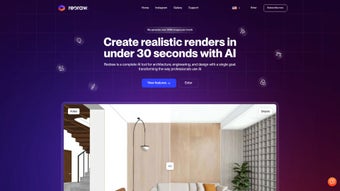
Redraw is a cloud‑based, AI‑driven rendering platform built especially for architects, interior designers, landscape planners, and engineers who need photorealistic visuals without the bottleneck of traditional 3D software. By harnessing deep‑learning models, Redraw can transform a rough sketch or a simple text prompt into a high‑resolution, lighting‑accurate image in seconds. The service eliminates the need for high‑end workstations because all heavy processing runs on secure remote servers, making it accessible from any modern browser on Windows, macOS, Android, or iOS. Whether you’re preparing a client presentation, iterating on a concept, or generating marketing assets, Redraw delivers ultra‑fast rendering for both indoor and outdoor environments while preserving the original project fidelity.
The platform also offers a suite of creative tools—brush‑based editing, resolution upscaling, idea generation, and 3D animation conversion—so you can refine and animate your designs without leaving the web interface. In short, Redraw consolidates the entire visualization workflow into a single, intuitive app, allowing you to focus on design decisions rather than hardware constraints or time‑consuming render queues. The cloud‑first architecture ensures that updates are rolled out automatically, meaning you always work with the latest AI models and feature set without manual patches. For design teams that value collaboration, Redraw provides real‑time sharing links and permission controls, enabling stakeholders to view and comment on renders instantly, regardless of their location.
Beyond the core rendering capabilities, Redraw integrates with popular project management tools such as Trello, Asana, and Slack, allowing you to push finished assets directly into your existing workflow. This seamless connectivity reduces context switching and keeps the design pipeline fluid. Security is another cornerstone: all data is encrypted in transit (TLS 1.3) and at rest (AES‑256), and the platform complies with GDPR, ISO‑27001, and other industry standards. For firms that handle confidential client data, these safeguards are essential. Overall, Redraw positions itself as a next‑generation visualisation engine that merges AI speed with professional‑grade quality, making it a compelling choice for anyone looking to accelerate design communication.
Key Features & Capabilities
- Instant AI Rendering: Generate photorealistic indoor and outdoor renders in under a minute.
- Brush Tool Editing: Precise control to modify objects, textures, and lighting directly on the rendered image.
- Resolution Enhancement: Upscale images up to 8K without re‑rendering, preserving detail and sharpness.
- Idea Generator: AI‑suggested interior and exterior concepts that can be customized on the fly.
- Render‑from‑Strokes: Turn hand‑drawn sketches into fully realized 3D visuals.
- Text‑to‑Image Generator: Create images from plain language descriptions, perfect for brainstorming sessions.
- 3D Animation Export: Convert static renders into short video walkthroughs or fly‑through animations.
- Cloud‑Based Architecture: No local installation required; access your projects from any device with an internet connection.
- Secure Data Handling: End‑to‑end encryption ensures your proprietary designs stay confidential.
- Regular Updates: Continuous AI model improvements and new feature rollouts at no extra cost.
These capabilities work together to streamline the design pipeline. For example, a designer can start with a quick text prompt—“modern living room with floor‑to‑ceiling windows”—and receive a fully rendered scene in seconds. Using the brush tool, they can then swap out a sofa style, adjust the material of the floor, or tweak the sunlight angle. When the client asks for a higher‑resolution print, the resolution enhancer provides an 8K image without requiring the original 3D model. Finally, the animation module lets the team create a 15‑second video that pans across the space, adding an extra layer of polish for stakeholder meetings.
Beyond visual creation, Redraw’s AI engine learns from each interaction, gradually improving its understanding of a firm’s design language. This means that after a few projects, the generated concepts become more aligned with the studio’s aesthetic preferences, reducing the need for manual tweaking. The platform also supports batch processing, allowing you to queue multiple prompts and receive a gallery of variations in one go—an invaluable feature when exploring multiple design options for a single project. All of this happens within a single browser tab, drastically reducing the time and cost associated with traditional rendering pipelines while keeping the workflow intuitive for users of any skill level.
Installation, Usage & Compatibility
Because Redraw is a cloud‑native service, there is no traditional installation process. Users simply create an account on the Redraw website, verify their email, and log in to the dashboard. The onboarding wizard guides new users through a quick tutorial that covers project creation, AI prompt entry, brush editing, and export options. For teams, administrators can invite members, set permission levels, and organize projects into shared folders.
Step‑by‑Step Usage Guide
- Create a New Project: Click “New Project,” choose a template (interior, exterior, landscape), and name your file.
- Enter a Prompt or Upload a Sketch: Use the text box for a description or drag‑and‑drop a hand‑drawn image.
- Generate the Render: Press “Render” and watch the AI produce a high‑quality image within seconds.
- Edit with the Brush Tool: Select the brush icon, choose a brush size, and click on elements you wish to modify (e.g., replace a wall texture or change a light fixture).
- Enhance Resolution: Click “Upscale,” pick the desired output size, and let the AI enhance the image.
- Export Options: Download PNG, JPEG, or MP4 files, or share a secure link directly with clients.
The interface is responsive, so you can work comfortably on a desktop monitor, a laptop, or even a tablet. Redraw supports the latest versions of Chrome, Edge, Firefox, and Safari, ensuring broad compatibility across operating systems.
Supported operating systems include Windows 10/11, macOS 12 Monterey or later, Android 9 and up, as well as iOS 13 or later. Because all processing occurs in the cloud, the local hardware only needs to handle web rendering, meaning even low‑end devices can run Redraw smoothly.
For enterprises that require on‑premise compliance, Redraw offers a private‑cloud deployment option with dedicated GPU clusters, though this is an add‑on service and not part of the standard free tier. The standard subscription provides unlimited cloud credits, regular AI model updates, and priority support. Additionally, Redraw integrates with popular file‑storage services such as Google Drive, Dropbox, and OneDrive, allowing seamless import and export of assets without leaving your preferred ecosystem.
Pros, Cons, Frequently Asked Questions & Final Thoughts
Pros
- Lightning‑fast AI rendering eliminates long wait times.
- No need for high‑spec hardware; works on any modern device.
- All‑in‑one workflow: generate, edit, upscale, and animate in one platform.
- Intuitive brush tool gives precise control without learning complex 3D software.
- Secure cloud architecture protects proprietary designs.
- Regular free updates keep the AI models state‑of‑the‑art.
- Batch processing and AI‑learning capabilities speed up repetitive tasks.
- Seamless integration with project‑management and cloud‑storage tools.
Cons
- Reliance on an internet connection; offline work is not possible.
- Subscription pricing may be higher than basic render farms for occasional users.
- Advanced customization (e.g., custom shaders) is limited compared to full‑featured 3D packages.
- Large BIM files must be simplified before import, which adds a preprocessing step.
FAQ – Your Questions Answered
-
Can Redraw handle large, complex BIM models?
Redraw works primarily with 2D prompts, sketches, and lightweight 3D files (OBJ, FBX). For massive BIM data, you can export a simplified view or use the “Idea Generator” to create a concept image without loading the full model.
-
Is there a free trial available?
Yes, Redraw offers a 7‑day free trial with 10 unlimited renders, giving you a chance to explore all features before committing to a subscription.
-
How secure is my data on Redraw’s cloud?
All uploads are encrypted in transit (TLS 1.3) and at rest (AES‑256). Redraw complies with GDPR and ISO‑27001 standards, and you can set project‑level permissions to restrict access.
-
Can I export renders for 3D printing?
While Redraw focuses on 2D visual output, you can export depth maps and use third‑party tools to convert them into 3D printable meshes.
-
What subscription plans are available?
Redraw offers a “Pro” plan at $29 USD/month (billed annually) with unlimited renders, and an “Enterprise” tier with private‑cloud options, volume discounts, and dedicated support.
Conclusion & Call to Action
Redraw bridges the gap between creative imagination and photorealistic presentation, offering architects, designers, and engineers a secure, cloud‑first platform that removes the traditional hardware bottleneck. Its AI‑driven rendering engine, combined with brush‑based editing, resolution upscaling, and animation tools, makes it a compelling alternative to legacy 3D suites—especially for teams that value speed and collaboration. If you’re looking to cut weeks off your design cycle, produce client‑ready visuals on the fly, and keep your data safe, Redraw is worth a try. Start your free 7‑day trial today, and experience how AI can transform your workflow with just a few clicks.
Redraw delivers on its promise of instant, high‑quality renders while keeping the interface approachable for non‑technical users. The cloud‑only architecture is both a strength and a limitation, but for most design studios the trade‑off is favorable. Overall rating: 4.5/5.



.png)



